FMB trackers unlock
Teltonika FMB series trackers allow you to protect your connection with a password. However, there are times when the password is lost or unknown.
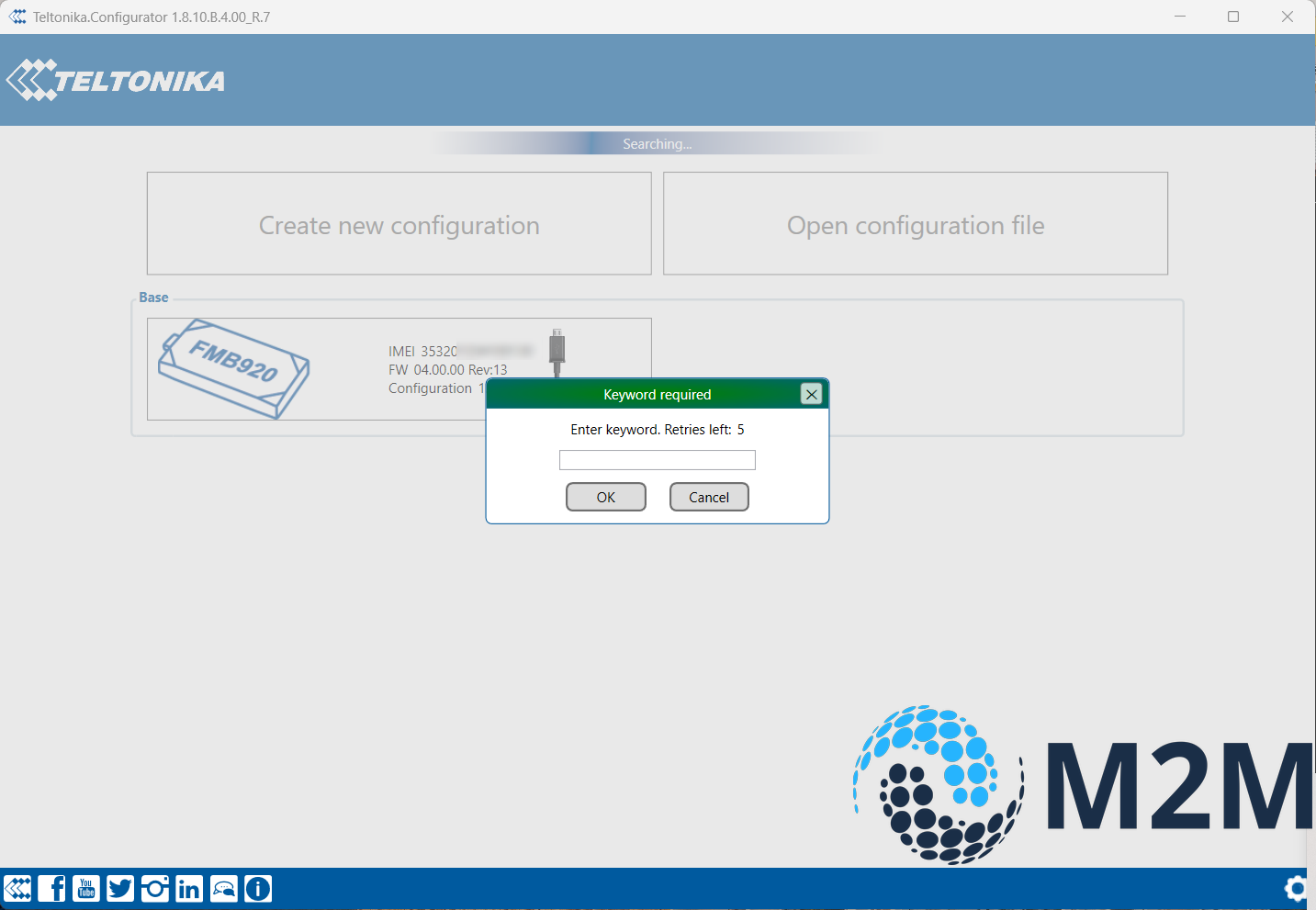
In this case, you must reset the password to access the tracker settings.
Pay attention
It is only possible to reset your password if you have a tracker in your account FOTA WEB
Below is the sequence of how to do this:
- In the password field, enter a random password 5 times to receive the unlock key.
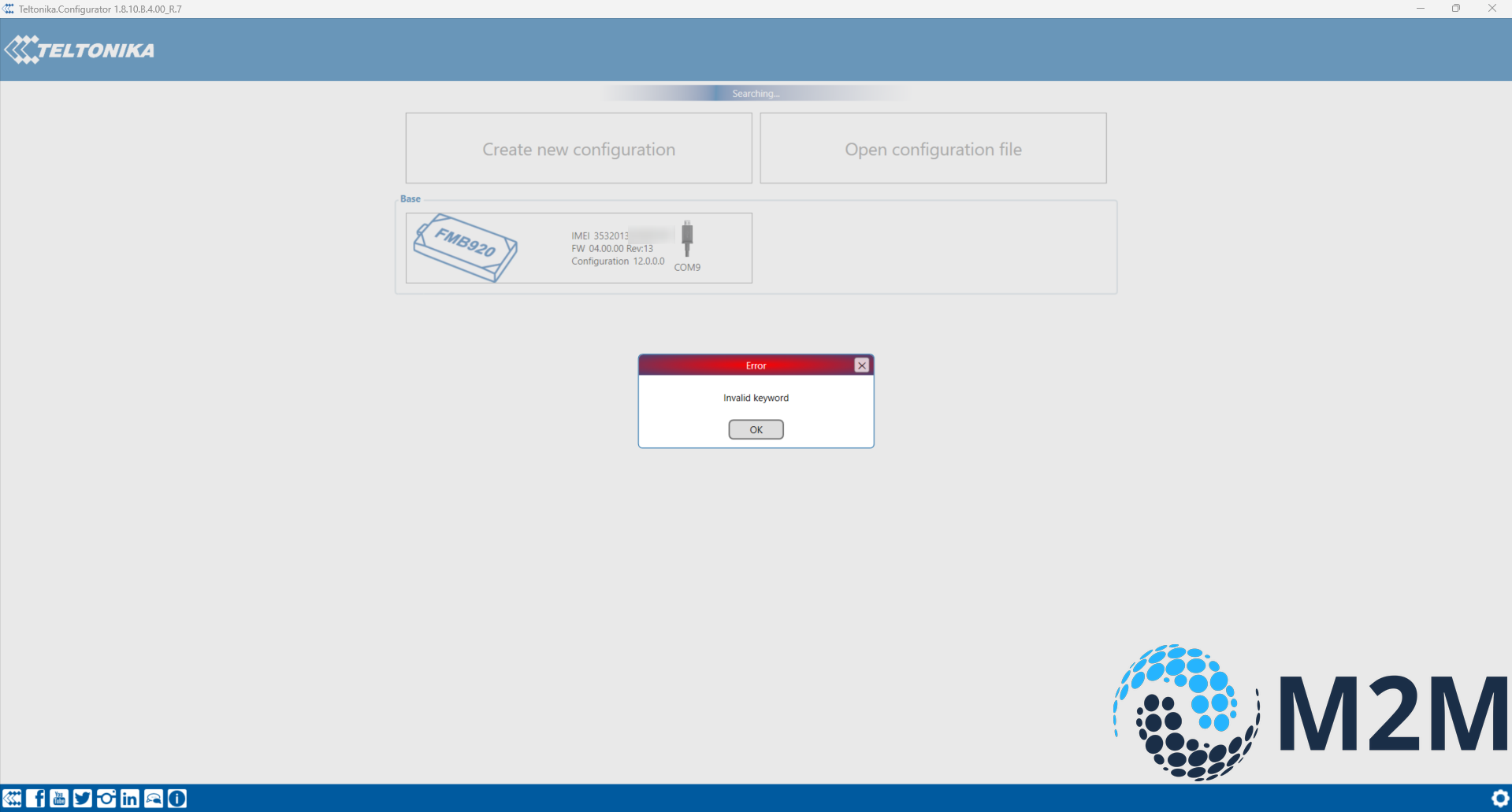
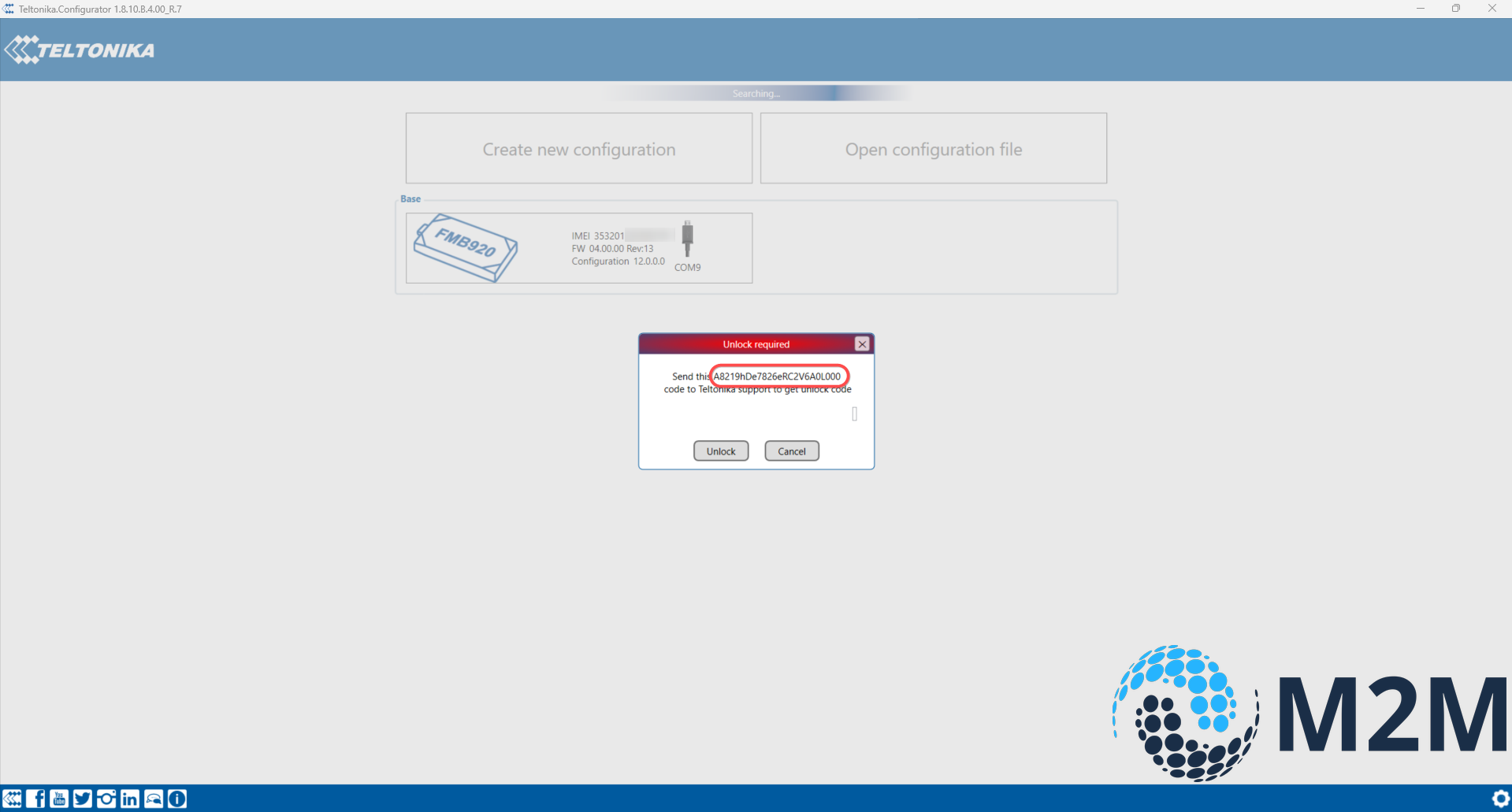
- Save the key that the configurator will provide.
- Log in FOTA WEB, find the desired device. In the main window of the device, find the button Actions>Generate unlock key
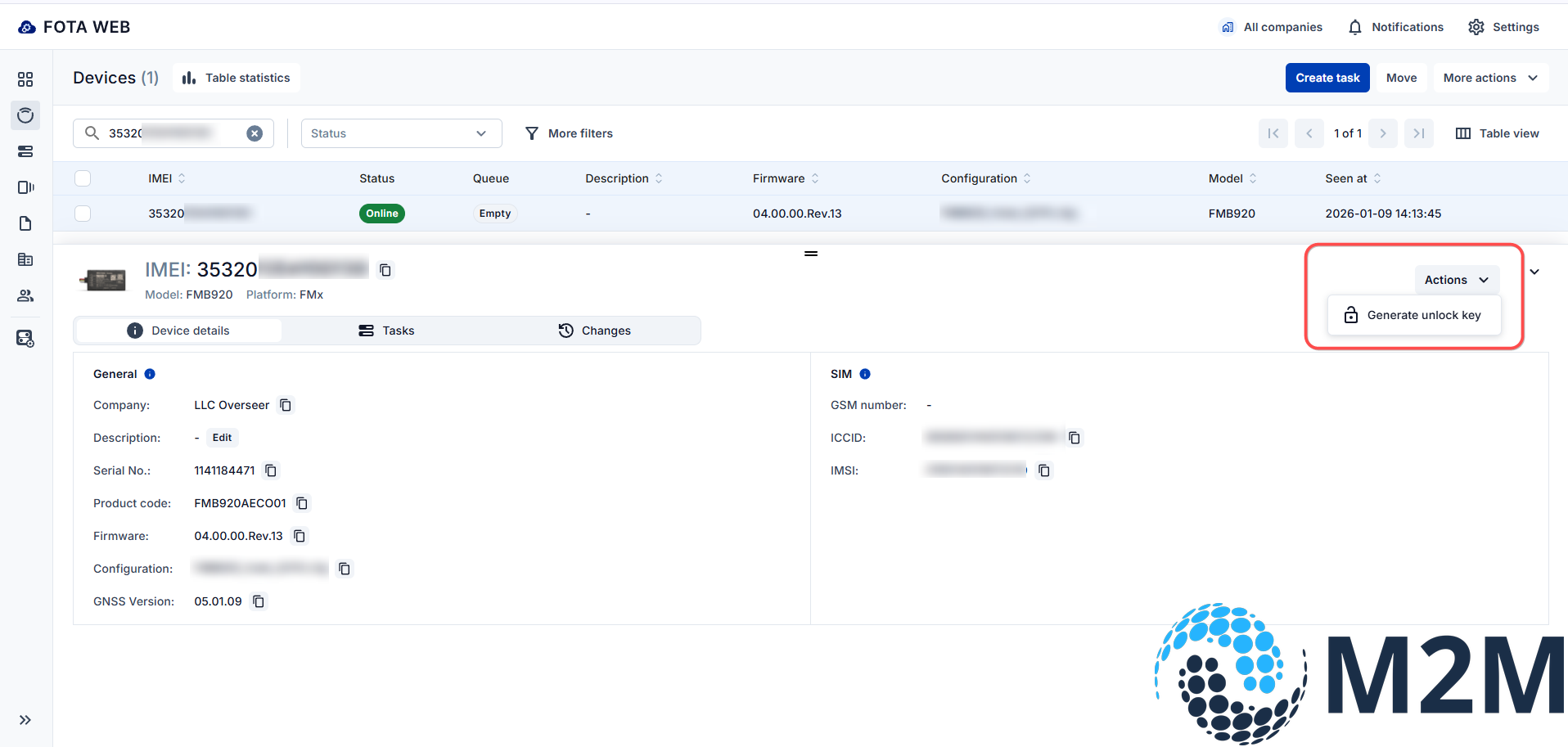
- In the Generate unlock key window, insert the key you saved in step 2
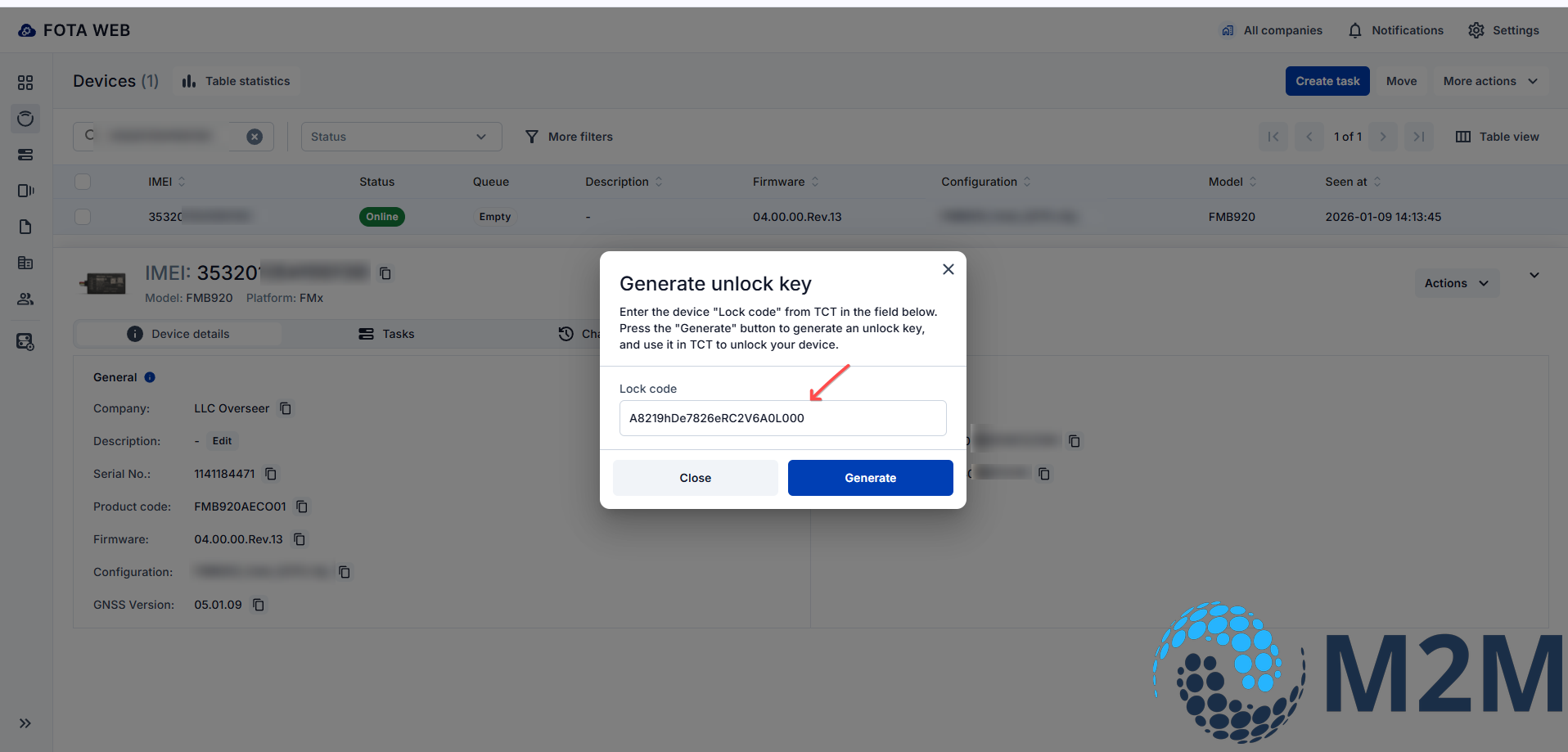
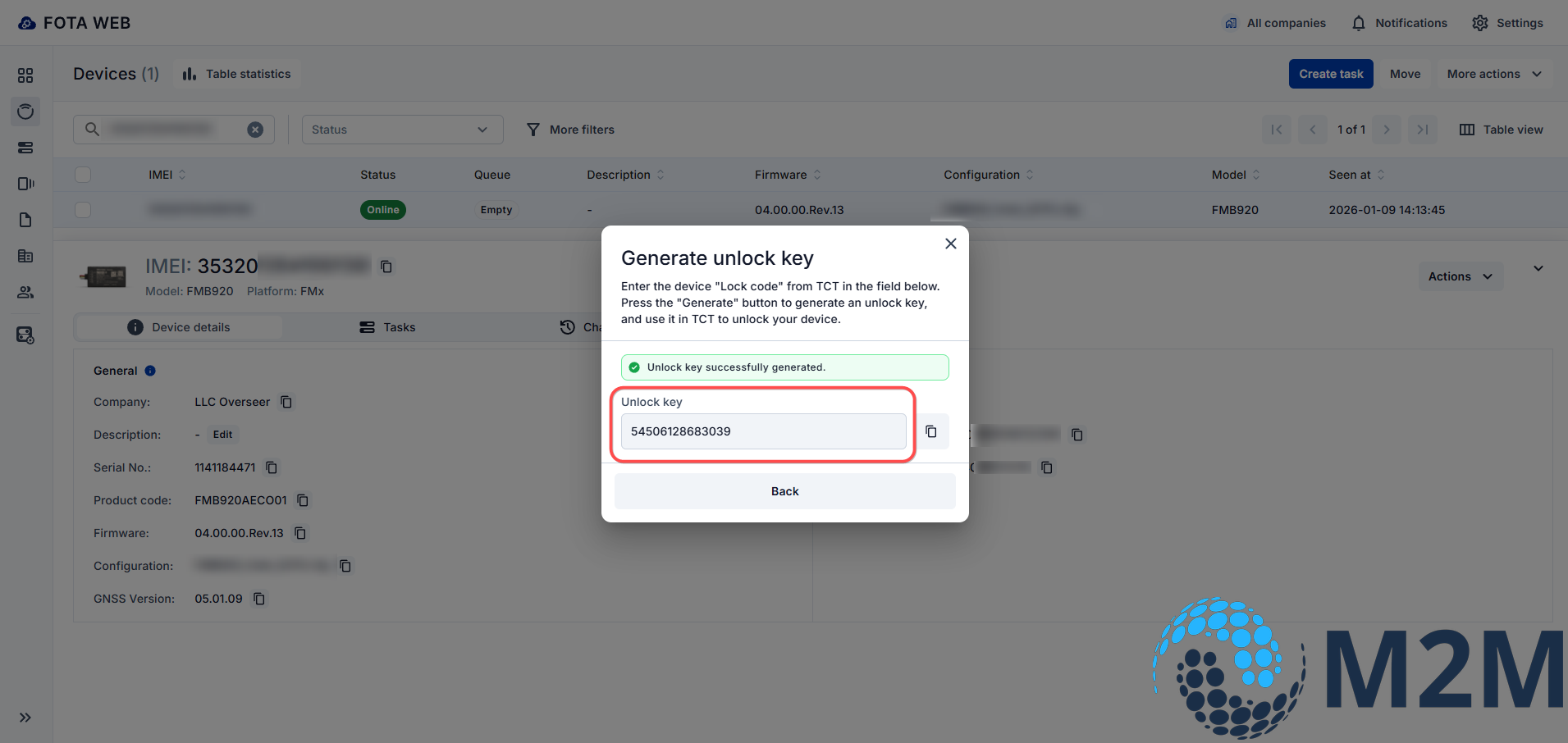
5.In response you will receive Unlock key
- Insert Unlock key in the device configurator in the unlock window and click Unlock.
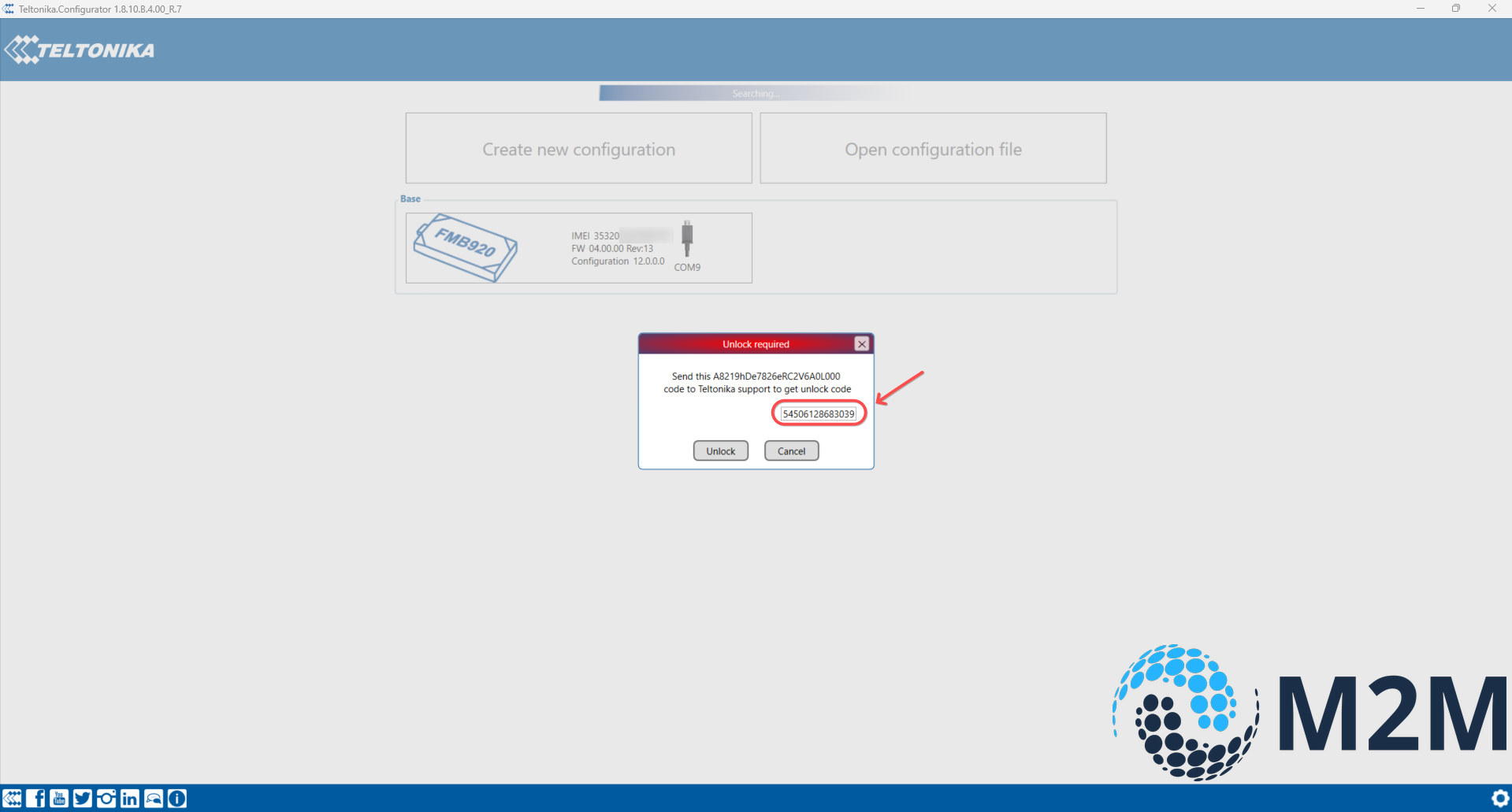
The device is unlocked.
Pay attention
If you do not have access to the required device in FOTA WEB, contact the tracker supplier or official distributor